Icon of program: Tiny SpellChecker

Tiny SpellChecker for Windows

  • Trial version
  • 4.6
    1
  • 1.7K
  • V1.0

Softonic review

Never mispell a word while web-browsing again

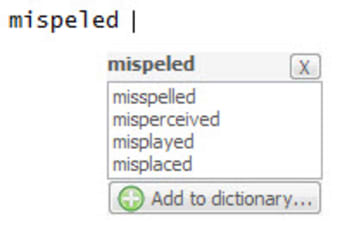
Tiny SpellChecker is an inconspicuous little program that provides a notification whenever you've misspelled a word you've typed on your PC.

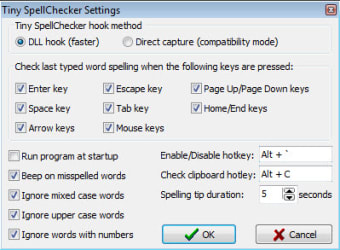
Immediately after installation, it hides in the bottom status bar of your computer. Left-clicking on it from the status bar does nothing, which seems a little nonsensical. If you right-click, however, you'll have a lot of different options at your fingertips. There are some great customization options in Tiny SpellChecker's settings. One of Tiny SpellChecker's main features is that it beeps when you misspell a word. You can disable this feature in your settings. You can also define your own hot keys and choose the frequency at which you receive spelling tips, if at all.

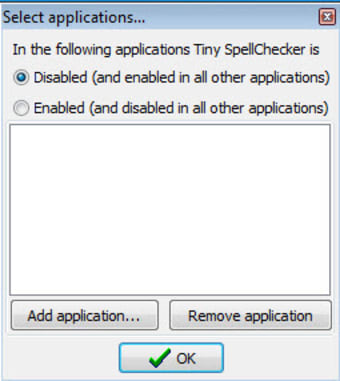
Tiny SpellChecker works on words you misspell both in your web browser and also in regular desktop applications. If there's a specific program you don't want it to correct your words on, you can add it to a list of applications on which Tiny SpellChecker is automatically disabled. If you frequently use foreign or uncommon words, you also have the option of adding new words to the program's built-in dictionary.

There are times when Tiny SpellChecker doesn't pick up on misspelled words, however, even when the spellchecker on your browser does. Other times, the program will stick or freeze up a little, particularly when you're running a lot of different applications simultaneously.

Those who want an extra back-up spellchecker though should give Tiny SpellChecker a try.
  • Pros

    • Hides at the bottom of your screen
    • Beeps whenever you've misspelled a word
    • Add new words to a dictionary
  • Cons

    • Doesn't always pick up misspellings
    • Freezes or sticks on occasion
 0/5

App specs

  • License

    Trial version

  • Version

    1.0

  • Latest update

  • Platform

    Windows

  • OS

    Windows 7

  • Language

    English

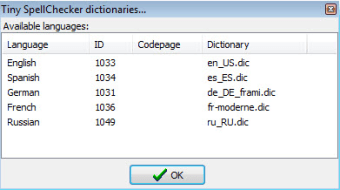
    Available languages

    • German
    • English
    • Spanish
    • French
    • Russian
  • Downloads

    1.7K

  • Size

    3.61 MB

  • Developer

Program available in other languages


Icon of program: Tiny SpellChecker

Tiny SpellChecker for PC

  • Trial version
  • 4.6
    1
  • 1.7K
  • V1.0

User reviews about Tiny SpellChecker

Have you tried Tiny SpellChecker? Be the first to leave your opinion!

You may also like

Explore Apps

Latest articles

Laws concerning the use of this software vary from country to country. We do not encourage or condone the use of this program if it is in violation of these laws.
Softonic
Your review for Tiny SpellChecker
Softonic

In Softonic we scan all the files hosted on our platform to assess and avoid any potential harm for your device. Our team performs checks each time a new file is uploaded and periodically reviews files to confirm or update their status. This comprehensive process allows us to set a status for any downloadable file as follows:

Clean

It’s extremely likely that this software program is clean.

What does this mean?

We have scanned the file and URLs associated with this software program in more than 50 of the world's leading antivirus services; no possible threat has been detected.

Warning

This software program is potentially malicious or may contain unwanted bundled software.

Why is the software program still available?

Based on our scan system, we have determined that these flags are possibly false positives.

What is a false positive?

It means a benign program is wrongfully flagged as malicious due to an overly broad detection signature or algorithm used in an antivirus program.

We’d like to highlight that from time to time, we may miss a potentially malicious software program. To continue promising you a malware-free catalog of programs and apps, our team has integrated a Report Software feature in every catalog page that loops your feedback back to us.

Flag any particular issues you may encounter and Softonic will address those concerns as soon as possible.